
Tell people when a card arrives
A board can tell people when a card arrives in a list, or leaves one: a new quote to send, an order ready to bake, an offer that was answered. The people you choose get a line under their bell, without having to follow every card or watch the board.
This is one of a board's rules, like its limits. A limit shows where things stand; this kind of rule tells someone at the moment something happens.
Make one from a list
Rules are made by a board's owners.
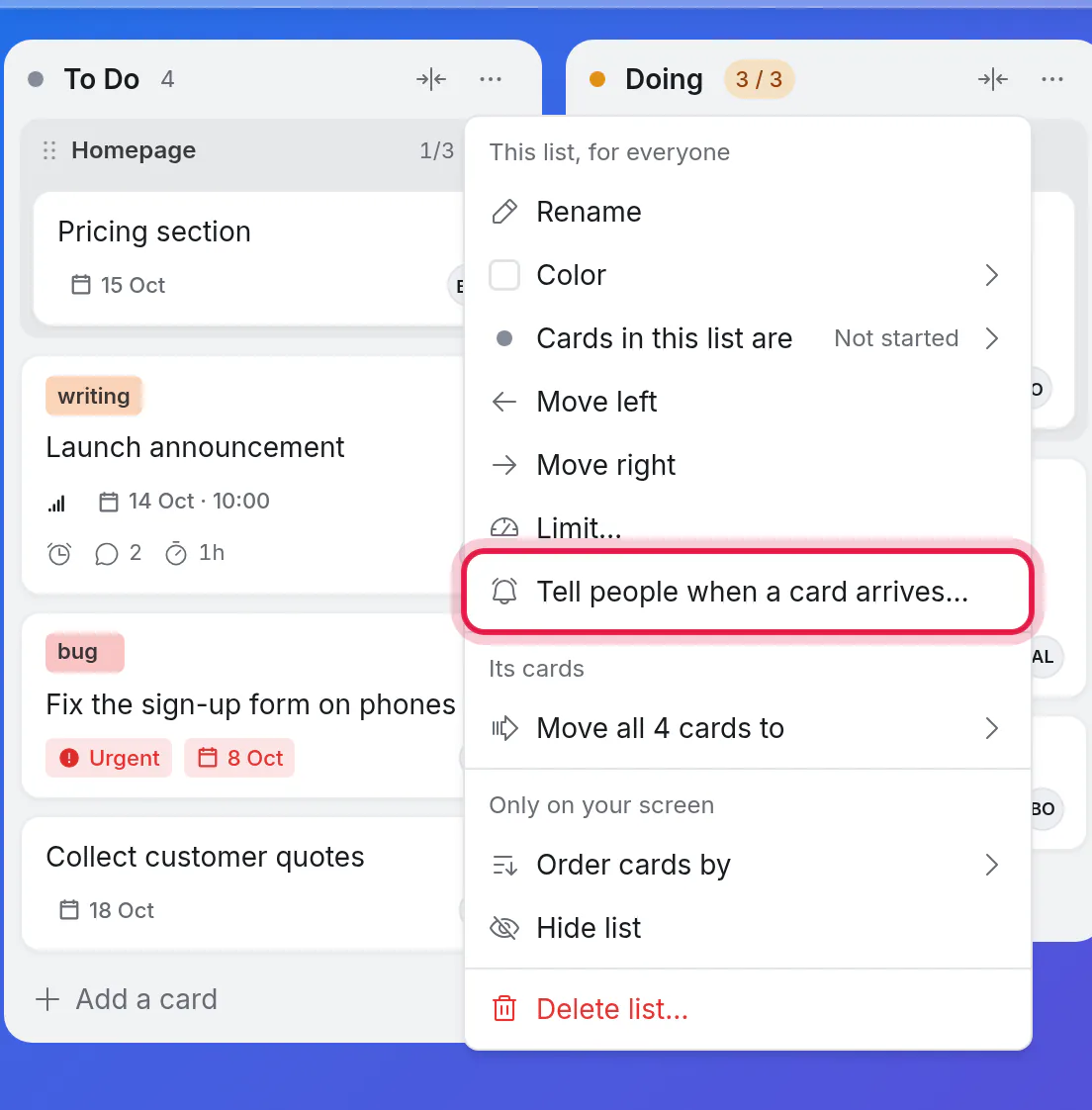
Open the list's ⋯ menu and choose Tell people when a card arrives….
Tick who to tell: people on the board, and Whoever it is assigned to.
Click Add rule.
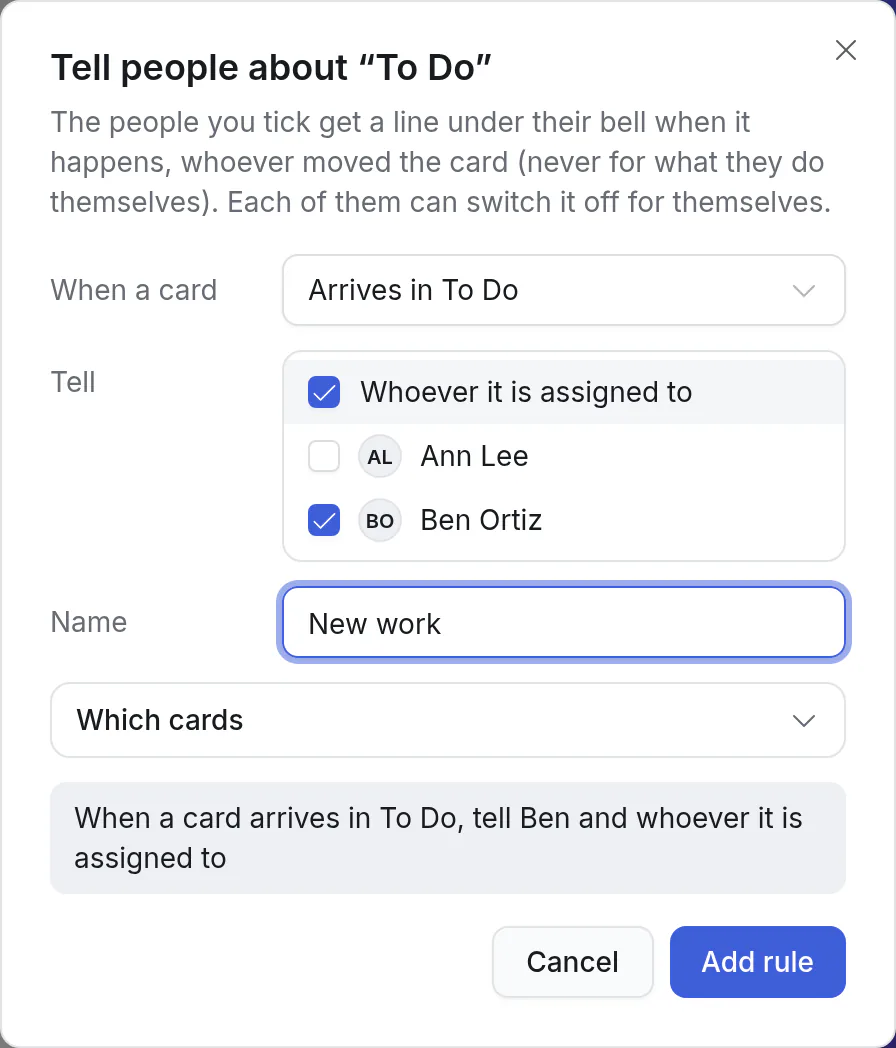
The grey box at the bottom says the rule back to you as you make it: "When a card arrives in Quoted, tell Dana".
To change or remove it, choose Who is told when a card arrives… in the same menu, or open it from the board's rules.
What a rule can say
| Part | Choices |
|---|---|
| When a card | Arrives in the list, or leaves it. |
| Tell | Anyone on the board, and Whoever it is assigned to: the person the card belongs to at that moment. |
| Name | A few words of your own, such as "New quotes". It shows with what the rule says under the bell. Optional. |
| Which cards | The lists the rule is about, and anything else its cards must be: who they are assigned to, their priority, their labels, or a value of one of your own fields. Also which cards count where cards have subtasks. |
Some rules people set:
| What you want | The rule |
|---|---|
| The office hears of every new quote | When a card arrives in Quoted, tell Dana |
| The baker knows what to bake | When a card arrives in Baking today, tell Marco |
| Whoever took the order hears it was paid | When a card leaves Awaiting payment, tell whoever it is assigned to |
| The roofing lead hears when a roof starts | When a card arrives in On site where Trade is Roofing, tell Tom |
| Someone watches for anything urgent | When a card starts to be one where Priority is Urgent, tell Priya |
| The recruiter hears an offer was answered | When a card leaves Offer out, tell Dana and whoever it is assigned to |
What counts as arriving and leaving
A card arrives when it starts to be one of the rule's cards, however that happens:
- it is moved into the list,
- it is made there,
- it is brought back from the archive, or by Undo,
- it comes from another board, or from your Inbox,
- it is changed so that it fits (made Urgent, given the field value the rule asks for).
A card leaves when it stops being one of them: it moves on, is changed, archived or deleted, or goes to another board.
These tell nobody:
- What you do yourself. A rule never tells the person who made the change.
- Moving a card up or down in the same list.
- Adding or removing subtasks.
- Changes to the board itself, such as removing a person from it or deleting a list.
What people get
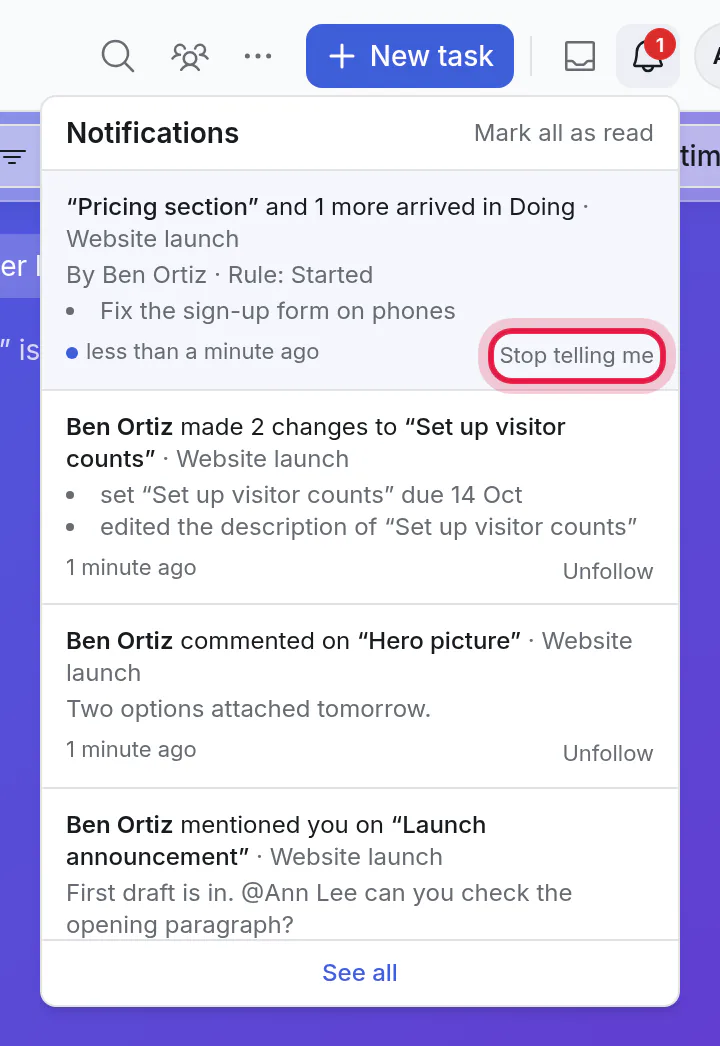
A line under the bell: which card, what happened, who did it, and the rule's name. Click it to open the card. Several cards at once, or several moves by the same person within ten minutes, are one line.
The morning summary email has a part for what your boards' rules told you.
On your computer and in Telegram, if you have those on for the cards you follow. See notifications.
If a rule tells you about a card you also follow, you hear of the move once, not twice.
Stop a rule telling you
Anyone a rule tells can switch it off for themselves. It stays on for everyone else.
Under the bell, click Stop telling me on a line from that rule.
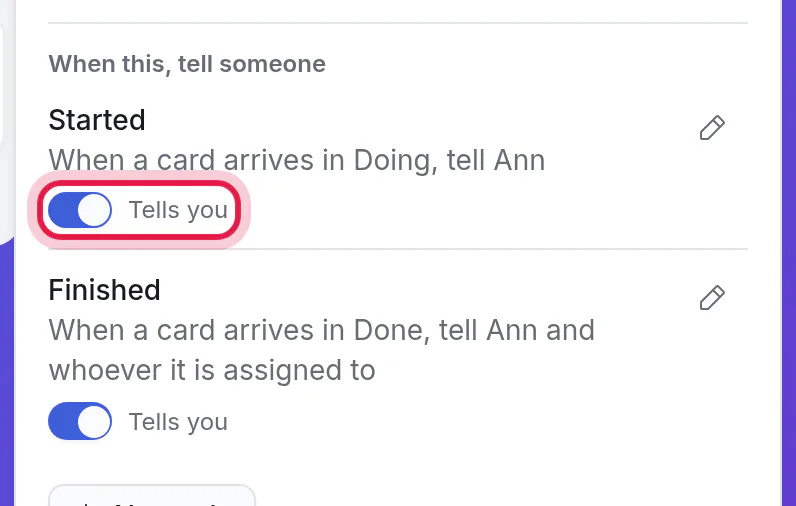
Or click Rules above the board and turn off the switch under the rule. Turn it on again the same way.
The board's owners see who switched a rule off, where the rules are listed.
Where rules show
- The Rules button above the view lists the board's limits and its rules that tell people. It is there in the Timeline and the Outline too.
- Board settings → Rules has the same list, and is where owners make, change and remove them.
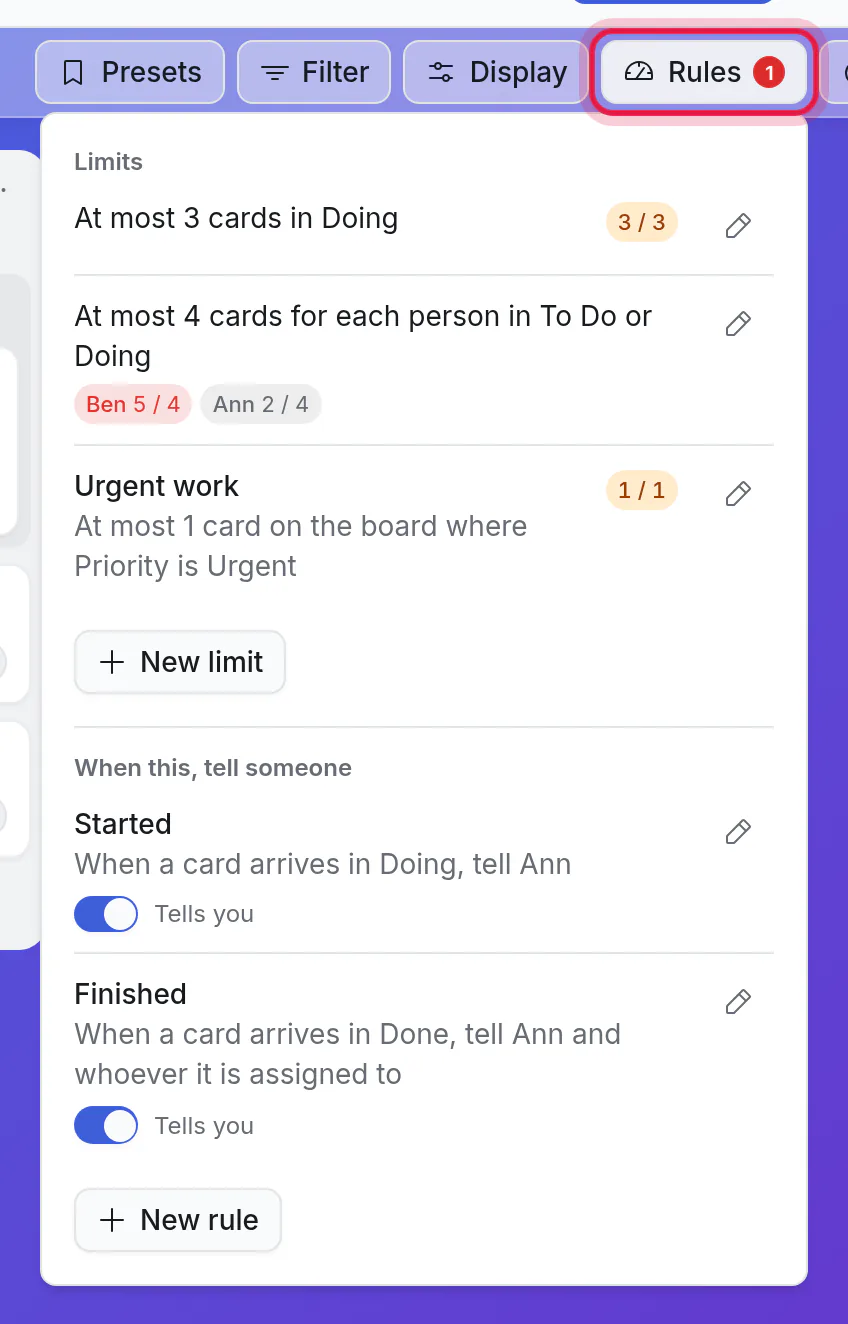
Nothing is added to a list's header.
Good to know
- Only owners make, change and remove rules. Everyone on the board sees them, and so do visitors with the board's public link (who are never told anything).
- A person who leaves the board is no longer told. The rule goes on telling the others. When nobody it names is left, the list of rules says it can't work.
- If something a rule names is removed (its list, a label, a field), the rule tells nobody until you change it or bring the thing back. It never works with what is left of it.
- A rule can't be about "me" or about dates.
- A rule only tells. It never moves or changes a card.
- A board can have up to 20 rules, limits included.