
The Outline view
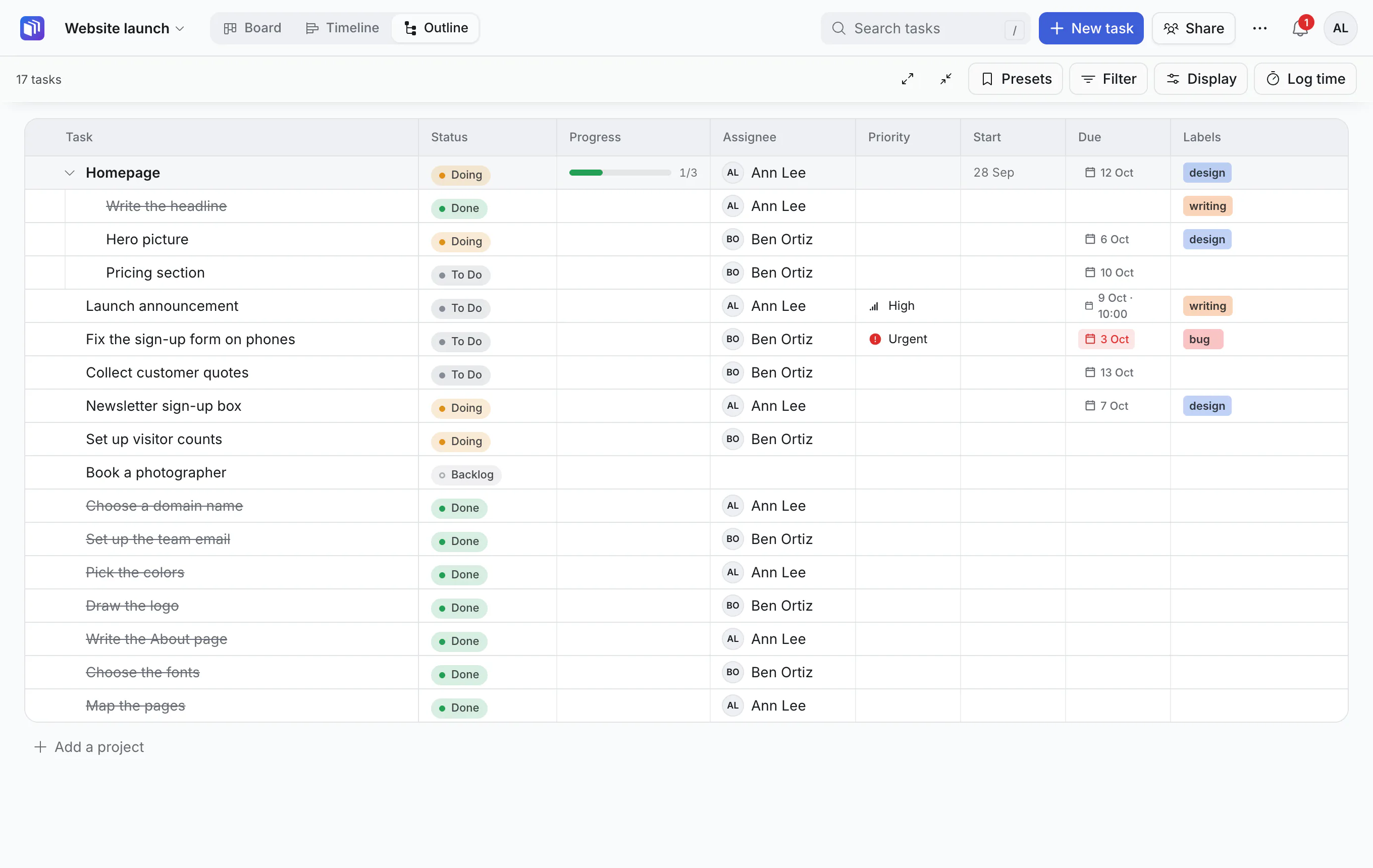
The Outline is a table of every task, indented under its parent. It is the best view for seeing a whole project at once, and for tidying up.
What you see
One row per task, with columns for its status, assignee, dates, priority and more. Projects (top-level tasks) are lightly tinted, and guide lines show what sits under what.
- Click the arrow beside a task to fold or unfold what is inside it.
- Click a row to open the card.
Change things in place
Click a task's status in the table to move it to another list without opening it. For anything else, click the row to open the card.
Rearrange
Drag rows to put them in the order you want.
Sort and filter
- Click a column's heading to sort by it.
- Filter and search work as in the other views.
Choose what to show
Click Display:
- pick the columns you want,
- switch between compact and comfortable rows,
- turn on Hide done to leave finished tasks out.
Add tasks
Use New task or N. To add a subtask, open its parent.
On a phone
The Outline becomes a nested list, with each task's details underneath it.
Good to know
- The order of tasks in the Outline is its own. Dragging cards around on the Board does not shuffle the Outline, and the other way round.
- Long boards show the first 500 rows, with Show more.