
What Kanbanto is
Kanbanto is a board for your work. You write each piece of work on a card, keep cards in lists such as To Do, Doing and Done, and move a card along as the work moves.
On the screen a card is also called a task ("New task", "17 tasks"). They are the same thing.
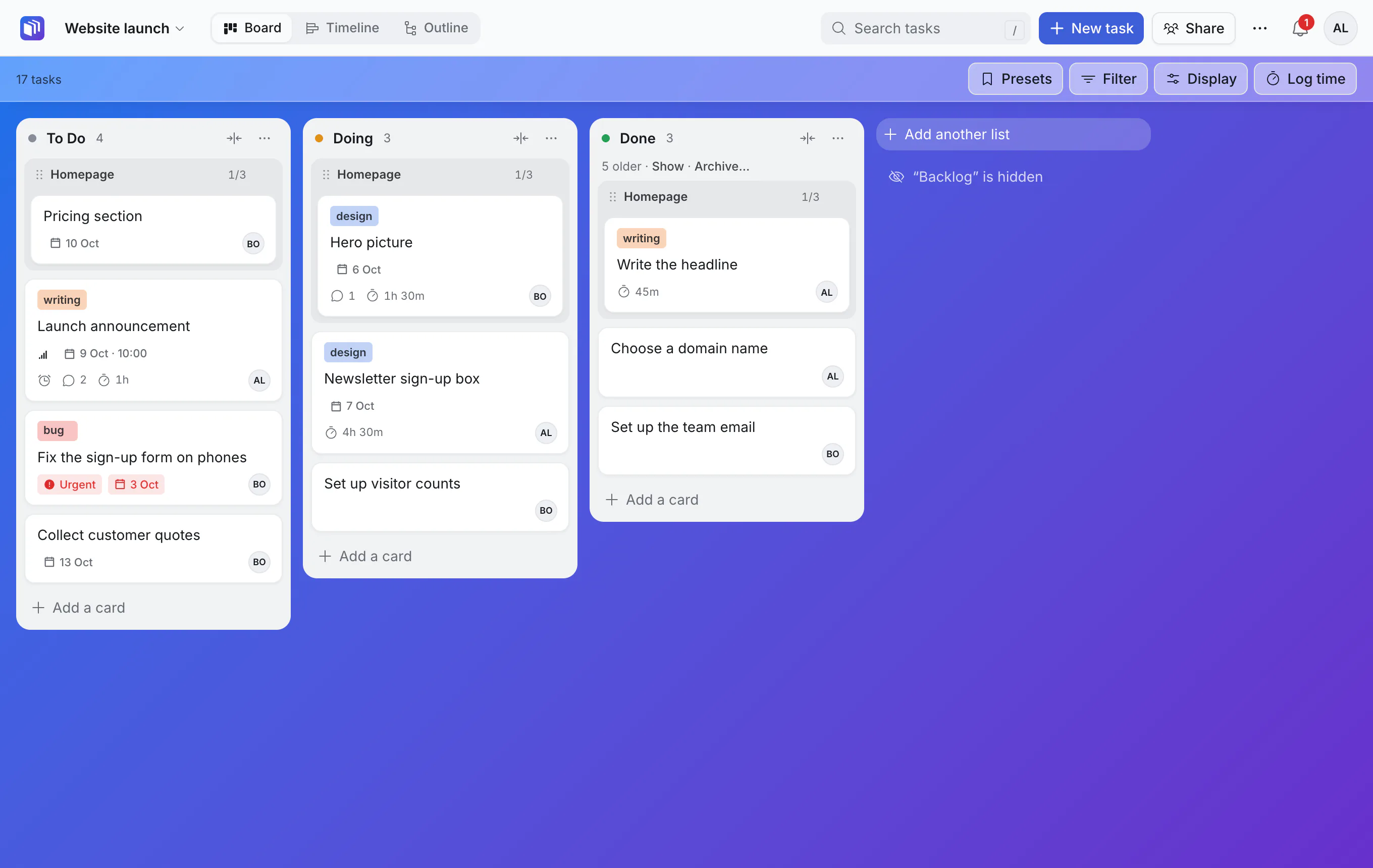
(The grey "Homepage" line in each list is not three cards. It is one card that has smaller cards inside it, shown as a heading above them. See "Tasks inside tasks" below.)
The four ideas
Boards. A board is one project or one area of your life: a website launch, a team's week, a reading list. You can have as many as you like.
Lists. A board is split into lists you name yourself. Most boards start with To Do, Doing and Done. Each list counts as not started, in progress or done, which is how Kanbanto knows what is finished. (There is a fourth kind, Backlog, for ideas you are not ready to start. New boards have a Backlog list that is hidden until you want it.)
Cards. A card is one task. It has a title, and can have a description, a due date, a person, labels, files and comments.
Tasks inside tasks. Any card can have smaller cards inside it, and those can have their own. "Homepage" can hold "Write the headline", "Hero picture" and "Pricing section". This is what sets Kanbanto apart from a simple board: big work and small steps live in the same place.
A card that is not inside another one is called a project on the screen. So "Add a project" simply adds a card at the top level, and an open card says "Project" above its title when nothing is above it.
Three ways to look at the same work
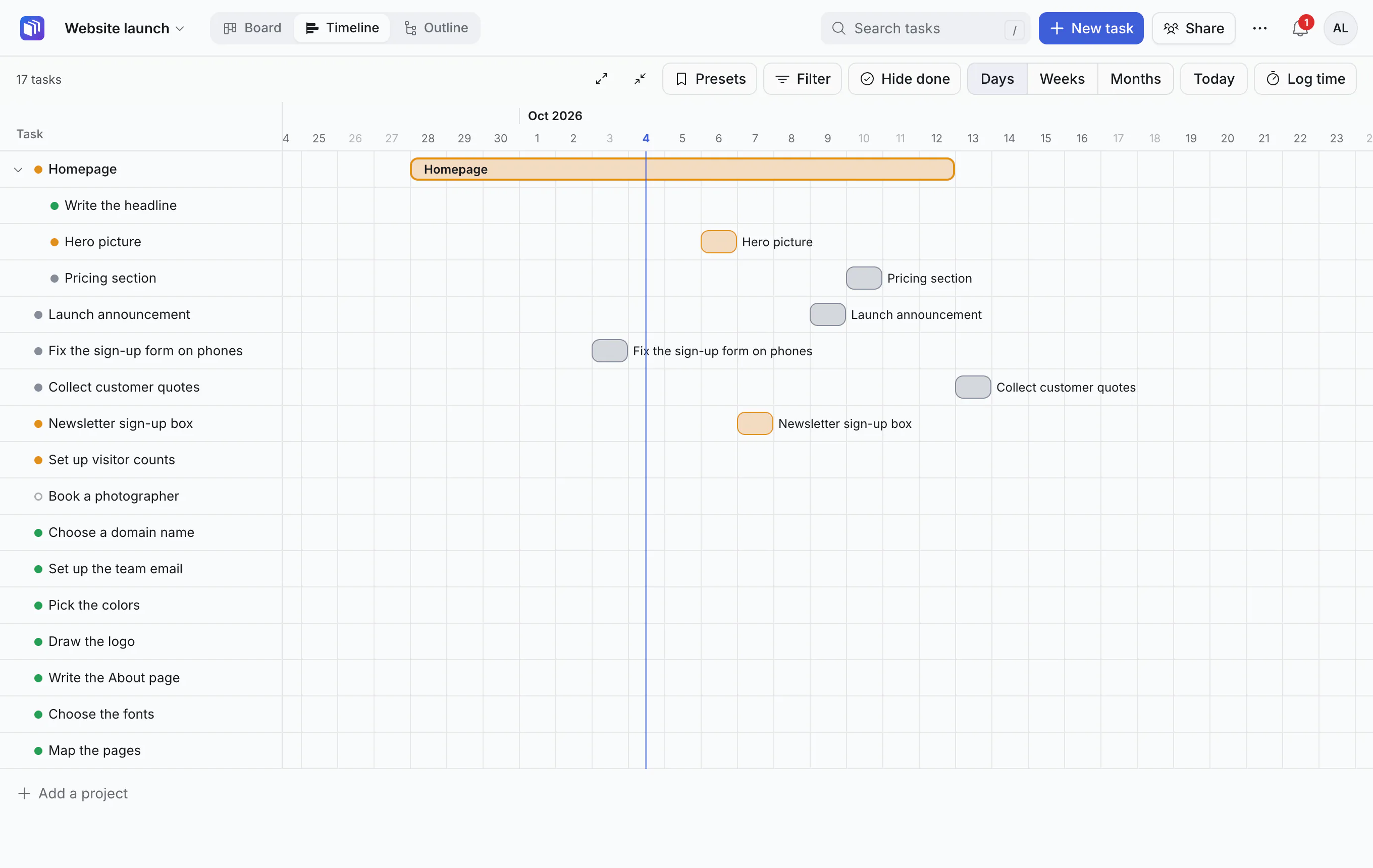
The same cards can be shown as a Board (lists side by side), a Timeline (bars on a calendar) or an Outline (a table that shows how tasks nest). You switch with the tabs at the top; nothing is copied or lost.
With other people, and with your AI
You can share a board with teammates, who see every change as it happens. You can also connect the AI assistant you already use, such as Claude, so it can read the board and work on it. That part is optional: Kanbanto is a complete board without it.
Where Kanbanto lives
Kanbanto is a website. Your team, your company, or you yourself run a copy of it at some address, such as https://kanbanto.example.com. These guides call that "your Kanbanto site", and the person or team who set it up "whoever runs your site". If you were sent an invite, the address is in it; otherwise ask the person who told you about Kanbanto.
If nobody has set one up yet, that comes first, and it is a technical job: Kanbanto is installed on a server, following the instructions that come with it. Ask whoever looks after your team's website or computers. When it is running, they make your account or send you an invite, and everything in these guides starts from there.
Where to go next
- New here? Make your first board.
- Want the tour first? See finding your way around.