
A knowledge base on a board
Kanbanto has no separate place for documents, and it doesn't need one. A board can be your team's handbook: every card is an article, and the board shows where each article is in its life, from an idea to something everyone follows.
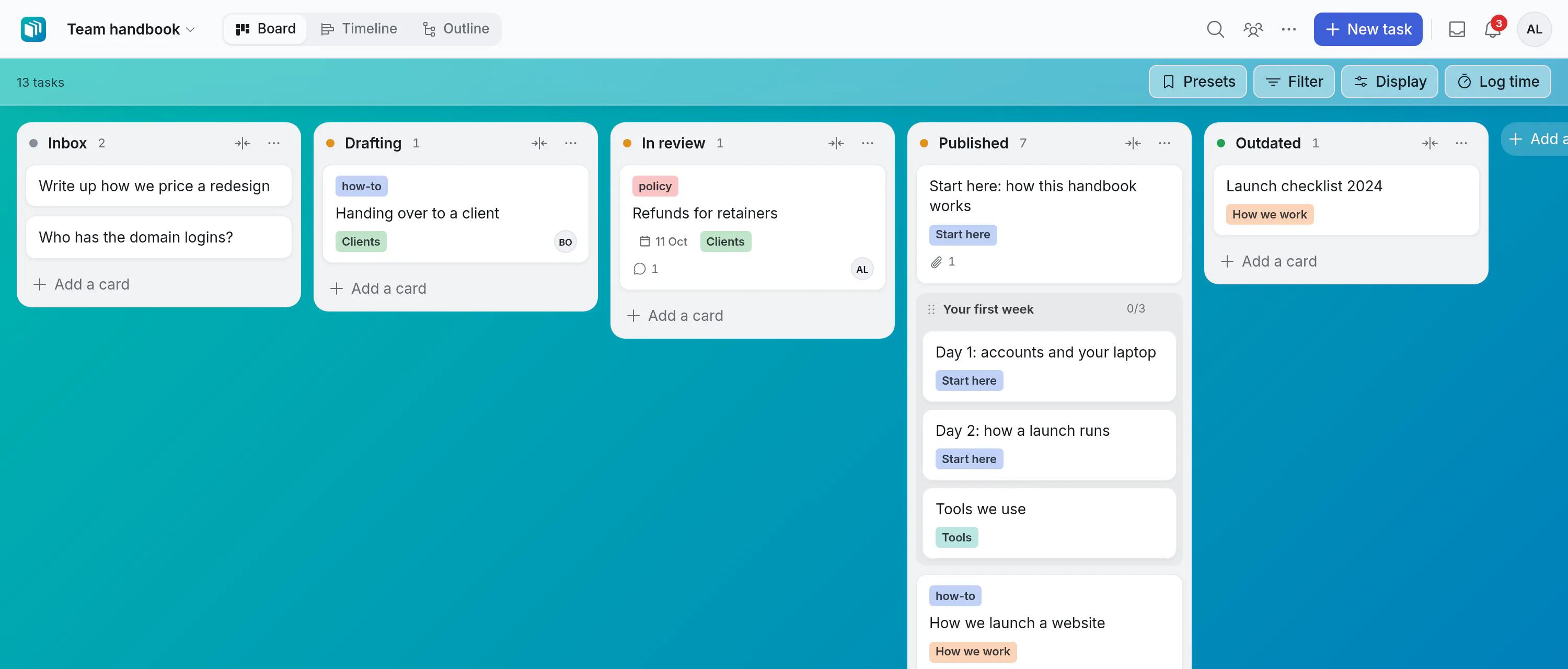
This group of pages shows how to set one up, write in it, keep it in order and keep it true. Nothing here is a special mode: it is an ordinary board, used a particular way.
How the pieces fit
| A knowledge base needs | In Kanbanto it is |
|---|---|
| An article | A card. Its title is the article's title. |
| The article's text | The card's description: headings, lists, tables, checklists and pictures. |
| A page to read it on | Expand, above the description: the text full page, with its contents on the side. |
| Pages inside a page | Subtasks. An article's subtasks are the pages inside it, as deep as you need. |
| A table of contents | The Outline: every article with the pages inside it, to fold, group and filter. |
| Draft, in review, published, outdated | The board's lists. |
| An owner, and a day to look at it again | Two fields of your own. |
| Tags and topics | Labels, and a choice field. |
| Finding it again | Search cards, which looks inside the text. |
| Readers who shouldn't change anything | People you share the board with as viewers, or anyone with its public link. |
| Your assistant | Connected, it reads and searches the articles like any other card. |
Why keep it beside the work
- It gets written. The lesson from a job is one click away from the job's card. Mention the article in the task, or the task in the article, and each links to the other.
- It gets reviewed. An article waiting for a second pair of eyes is a card in a list, with a name on it. Nobody has to remember.
- It doesn't rot unseen. A date on each article, and a filter for the ones that are past it, show what to look at again.
Is this for you?
It suits a team that already works in Kanbanto and wants what it learns kept in the same place: a handbook, how-tos, decisions and why they were made, answers to the questions customers keep asking. A few hundred articles sit comfortably on one board.
It isn't a publishing tool. If you need thousands of pages, a different set of readers for every page, or a public documentation site with its own design, use something made for that.
In this group
- Set up the board: the lists, the fields and the rest, in about ten minutes.
- Write an article: the text, pictures, the full page, and a link to send.
- Write together: several people in one text, and its earlier versions.
- Comment on the text: a comment on the very words it is about, answered and resolved.
- Pages inside pages, and finding things: the tree, topics and search.
- Review and keep it current: from draft to published to outdated.
- Samples to copy: three boards and seven article outlines.