
The Board view
The Board shows your cards in lists, side by side. It is the view most people live in.
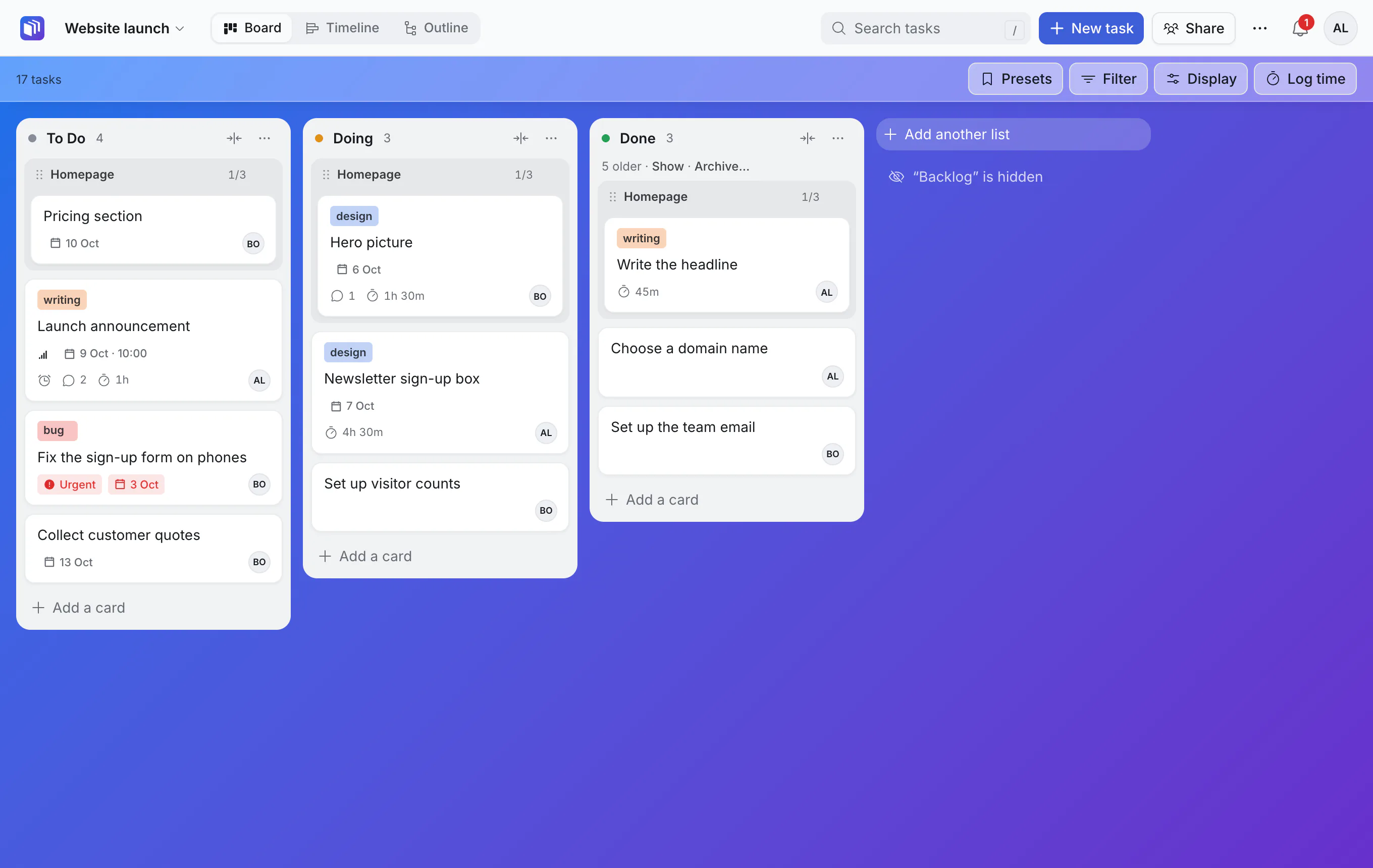
The grey Homepage heading in each list is a card that has subtasks: the cards under it are its subtasks. Click the heading to open that card. More on this in tasks inside tasks.
Lists
A list is a stage of the work. Each list has a menu, opened with its ⋯.
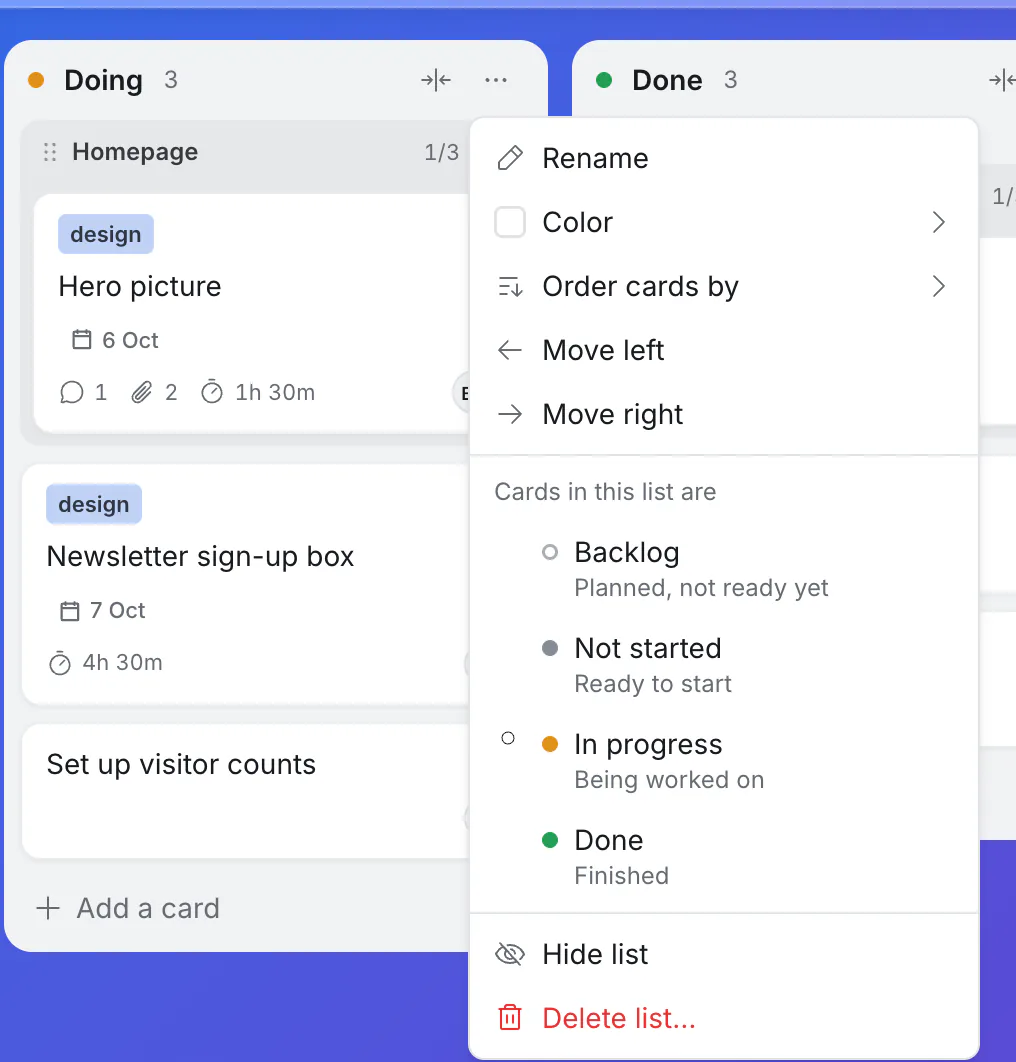
- Rename. Or just click the list's name.
- Color. Tints the list's header.
- Order cards by. By hand (as you dragged them), or sorted, for example by due date or priority. Keep this order makes a sorted order the new order by hand.
- Move left / Move right. Or drag the list by its header.
- Cards in this list are… what the list counts as: Backlog (planned, not ready yet), Not started, In progress or Done. This is how Kanbanto knows which cards are finished, whatever you name your lists.
- Archive older cards… on a done list. See done cards and the archive.
- Hide list takes it off your screen only. A line beside the lists says which are hidden, with a way to show them again. New boards start with a hidden Backlog.
- Delete list… asks where its cards should go first.
The button beside the ⋯ folds a list into a narrow strip. Click the strip to open it again.
Add a list with Add another list at the right.
Display: how cards look and group
Click Display. These choices are yours alone; they do not change the board for anyone else.
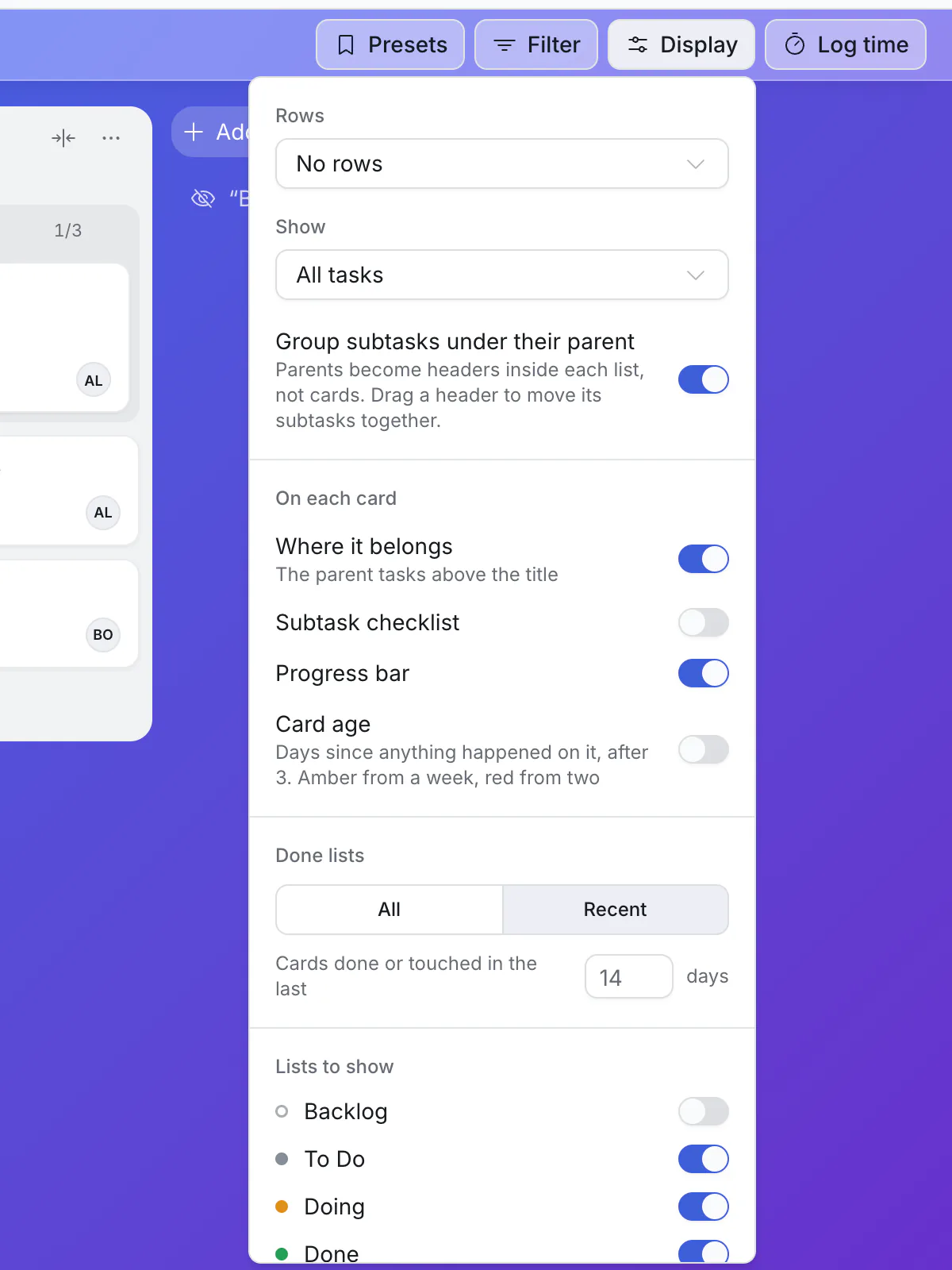
Rows splits the board into horizontal bands: A row for each project (top-level card), for each parent task, or for each person. Useful when several projects share one board.
Show chooses which cards appear:
Choice Shows All tasks Every card. Only tasks without subtasks The cards you actually do, without the parents above them. Main tasks only One card per piece of work, with its subtasks listed on it. Normally that is the top-level cards; with A row for each project, it is the cards directly inside each project. Only projects Top-level cards only, whatever the rows. Up next (ready to start) Cards that have not started, have no subtasks and are not waiting on another card. Group subtasks under their parent is on to begin with: a parent becomes a heading in each list, with its subtasks under it. Turn it off and every card stands alone.
Where it belongs shows the parent's name above each card.
Subtask checklist and Progress bar show a parent's steps and progress on its card.
Card age adds a small tag to cards nothing has happened on for 3 days or more: the number of days, amber after a week, red after two.
Show parents only as rows appears when Rows is set to a row for each parent. It stops the parent from also showing as a card.
Done lists shows every finished card, or only recent ones (14 days, or the number you choose).
A dot on the Display button means something is changed from the usual.
Presets
Presets saves the current filters and Display options under a name, such as "Mine this week" or "Review", for everyone on the board to pick. See search and filters.
Moving things
- Drag a card to another list, or within its list.
- Drag a parent's heading to move its subtasks in that list together.
- Drag a list by its header.
- On a phone, press and hold first.
When a list is sorted (not "By hand"), cards cannot be dragged into a new order inside it. Kanbanto tells you so, and you can switch back to By hand.
Good to know
- Long lists show the first 100 cards, with Show more at the bottom.
- The background is the board's own; change it under ⋯ → Board background.